Ready to Work Together?
Let's discuss how our expertise can help transform your business.


 Apr 15, 2026
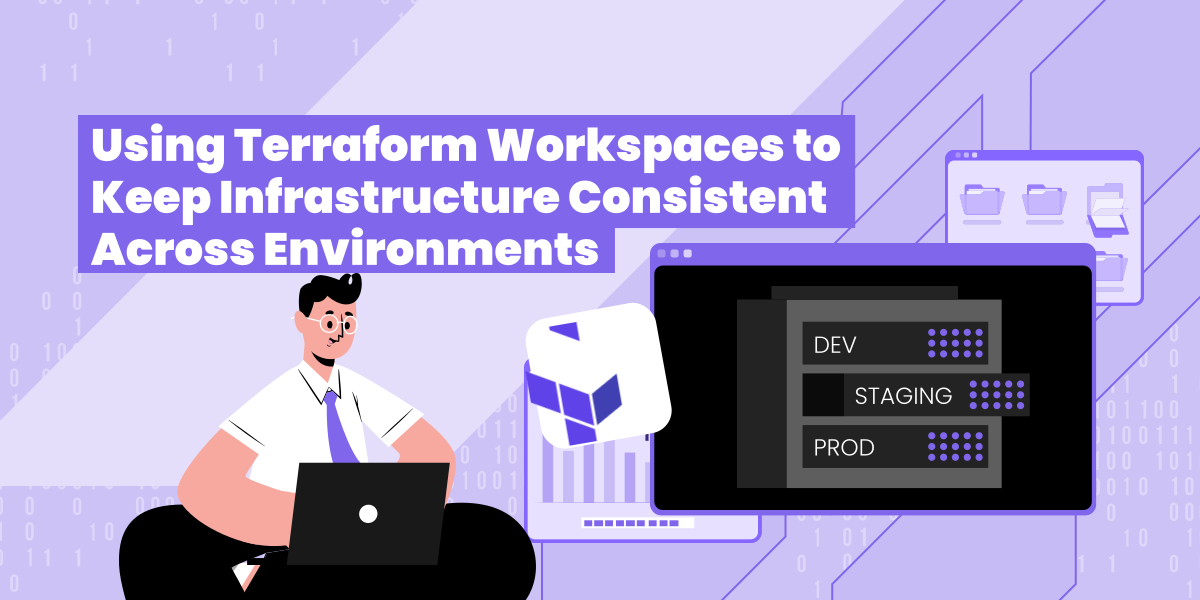
Infrastructure drift is something we run into constantly when starting a new client engagement. Production looks nothing like staging. Staging looks nothing like dev. Nobody can tell you exactly when or why they diverged. Usually it's a mix of hotfixes applied directly in prod, a "quick change" made through the console, and a staging environment nobody touched for three months.
The fix isn't telling people to be more careful. It's removing the conditions that allow drift in the first place. Terraform workspaces are a big part of how we do that.
A workspace is just a named state file. That's it. Instead of one terraform.tfstate, you get one per workspace, all managed from the same configuration.
You create and switch between them like this:
The value of this becomes obvious once you start referencing terraform.workspace inside your config:
One block, three environments, zero separate codebases to keep in sync.
When we hand off infrastructure to a client, they need to trust that what's running in production is structurally the same as what they tested in staging. With workspaces, we can back that up. There's one module, one pipeline, and the only legitimate differences between environments are the ones that are explicitly written down.
Changes flow in sequence: dev first, then staging, then prod. If something breaks in dev, it doesn't reach prod. That sounds obvious, but it's remarkable how many teams skip this entirely because their environments live in separate repos that have quietly diverged.
It also makes handoffs cleaner. Instead of giving a client three Terraform projects with subtle differences nobody documented, they get one repository with a clear workspace convention they can actually maintain.
Workspaces are only useful if the state backend is solid. We use Terraform Cloud for most engagements. Remote state, state locking, run history, and access controls are all there out of the box. For client work where auditability matters, having every plan and apply logged in one place is genuinely useful.
A couple of alternatives worth knowing about:
Which platform makes sense depends on your team's needs and what you're already working with. The pipeline pattern below works with any of these backends. You're only changing where state is stored, not how anything runs.
Nobody on our team runs terraform apply from a local machine against a client environment. Everything goes through GitLab CI/CD. This keeps a full audit trail, enforces the validate/plan/apply sequence, and puts a manual gate in front of every apply.
Here's the pipeline:
A few things worth explaining:
The module structure we use for most client engagements looks like this:
Instance sizes, replica counts, domain names and anything else that legitimately differs between environments goes in the .tfvars files. The workspace handles state isolation. The .tfvars file handles sizing. They do different jobs and neither one bleeds into the other.
After running this setup across a number of client engagements, a few benefits show up consistently.
This setup works well for most engagements, but it's worth being honest about where it doesn't. Very large deployments with meaningfully different architectures per environment are better served by separate root modules. If prod has components that simply don't exist in dev, trying to manage that through workspace conditionals gets messy fast. In those cases, the shared module pattern with environment-specific root modules is cleaner.
For the majority of what we build, though, the single-module workspace approach is the right call.
NextLink Labs specializes in platform engineering and DevOps delivery. If you're dealing with environment drift or want a cleaner infrastructure foundation, get in touch at nextlinklabs.com.
 DevOps
Learn how to add Grafana observability to any AWS Fargate service using a Grafana Alloy sidecar and a single Terraform module block — CPU, memory, network, and trace signals flowing in under five minutes.
 Aru Shanmugam
·
Jun 3, 2026
Aru Shanmugam
·
Jun 3, 2026
 DevOps
A Jenkinsfile with one stage, no scanning, no caching. Here's how NextLink Labs used Claude Code to rewrite it into a production GitLab pipeline with rootless BuildKit, Trivy scanning, Skopeo retag, and a proper DAG — in under an hour.
Alex Podobnik
·
Apr 28, 2026
 DevOps
Someone set that up manually a while back. Sound familiar? Here's how NextLink Labs uses Claude Code's agentic loop to import hand-built AWS infrastructure into Terraform — compressing a multi-day job into an afternoon.
Alex Podobnik
·
Apr 24, 2026
 DevOps
Most LLM-generated Terraform is bad — not because of the tool, but because of the prompt. Here's how NextLink Labs uses Claude Code and CLAUDE.md conventions to generate Terraform modules that are close to merge-ready.
Alex Podobnik
·
Apr 24, 2026